Find the same part on a donor board
A capacitor or chip you can't find at suppliers is often sitting on a dead board in the drawer. BoardView Reader searches your other boards for similar components.
Know the part first
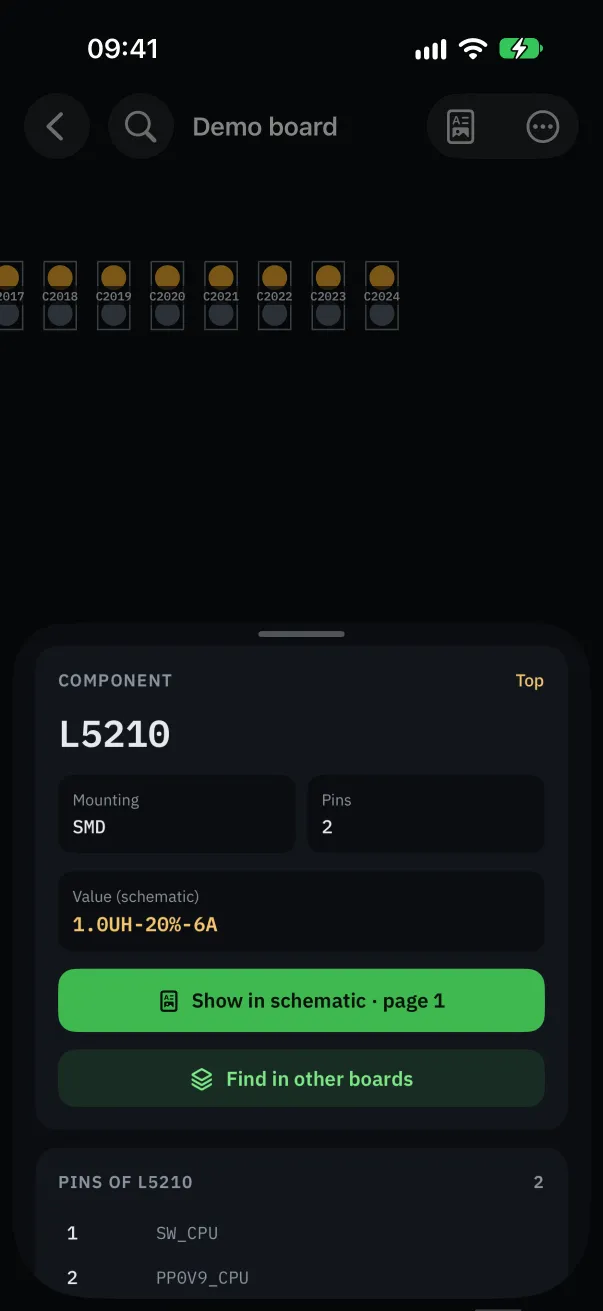
Link the schematic to the board: the component's value (capacitance, voltage, tolerance), part number and package show in its details. Without a schematic, the boardview often only gives the pin count.
Search the other boards
In the component's details, tap “Find in other boards” and choose the folder to search (your donor boards, a brand…).
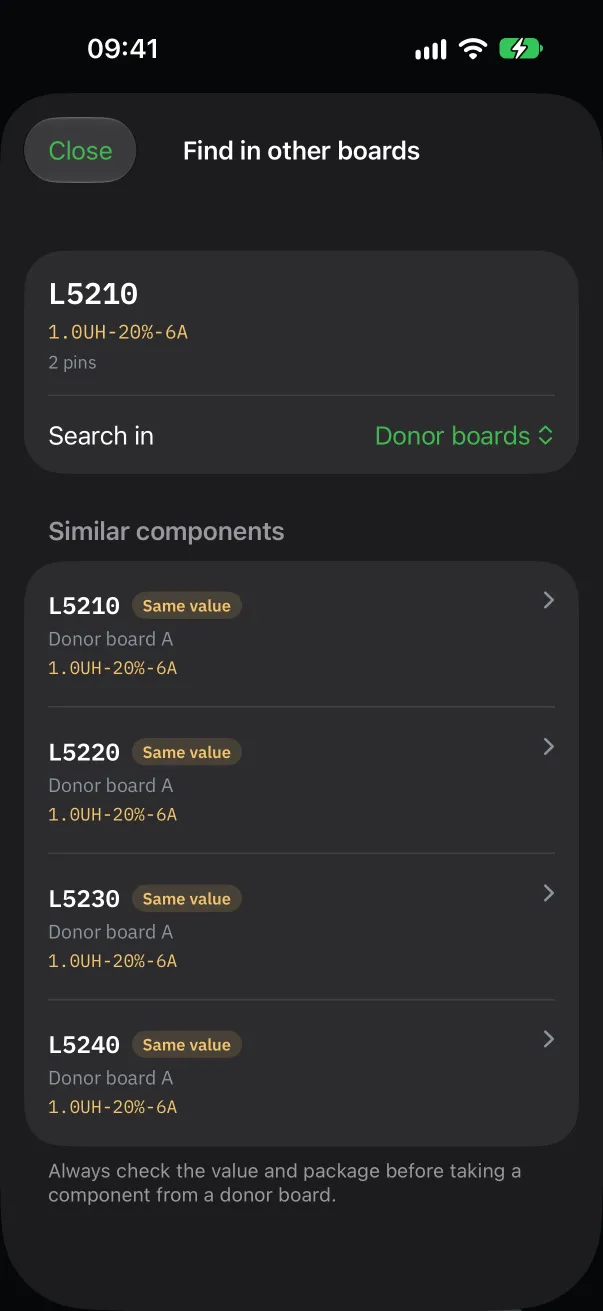
The app compares the component type, pin count, value, part number and package, and ranks the “Similar components” it finds.
Open a result: the donor board opens, centered on the component, ready to be located on the bench.
The more of your boards have their schematic linked, the finer the comparison: without a schematic, only the type and pin count are compared.
Before you take it
Always check the value and package before taking a component from a donor board: the app shows this reminder. Two components with the same value can have a different rated voltage or size.
This search is a Pro feature, unlocked during the free trial.