Diode mode readings: compare with a good board
A multimeter's diode mode reveals a shorted component or a broken line, as long as you have a reference value. BoardView Reader keeps your readings net by net and compares them with those of a good board.
Measure
Board unpowered, multimeter in diode mode: red probe on ground, black probe on the net. That's the reminder the app shows, and the usual convention of the value tables shared between repairers.
Measure at an accessible point of the net: a capacitor, an inductor, a test point. Tap the net on the board to see all its points.
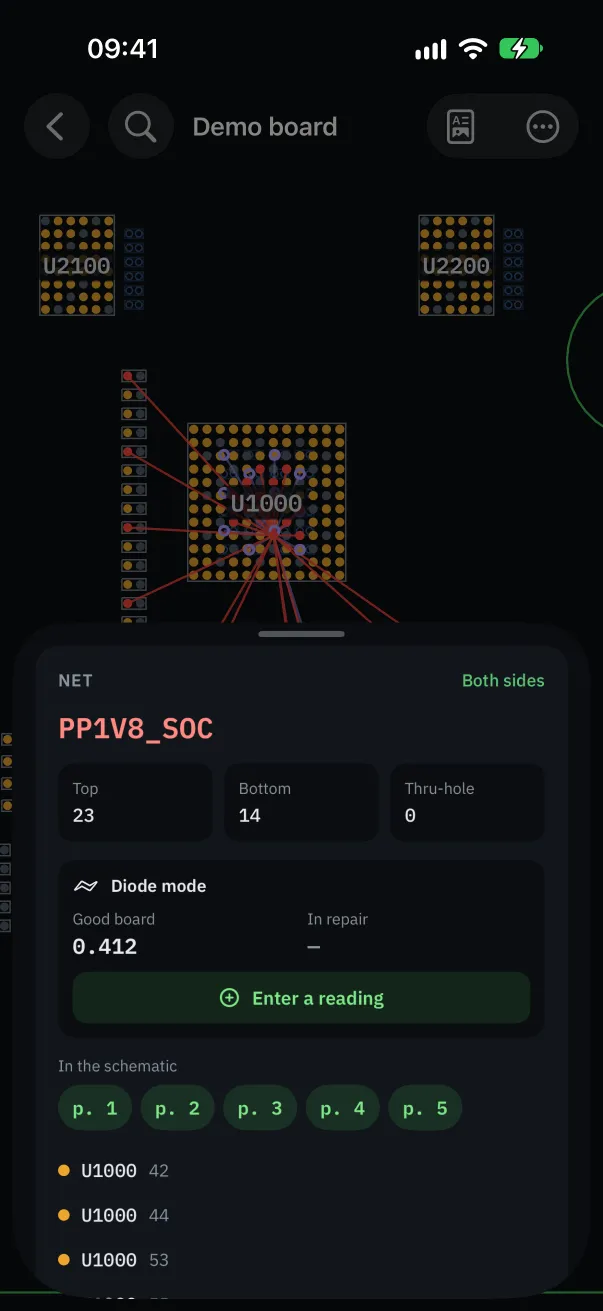
Record a reading
In the net's details, under “Diode mode”, tap “Enter a reading”. Choose whether it's the board in repair or the good board (reference), then type the value.
Type the value in volts (0.412) or millivolts (412). Type OL when the multimeter shows nothing.
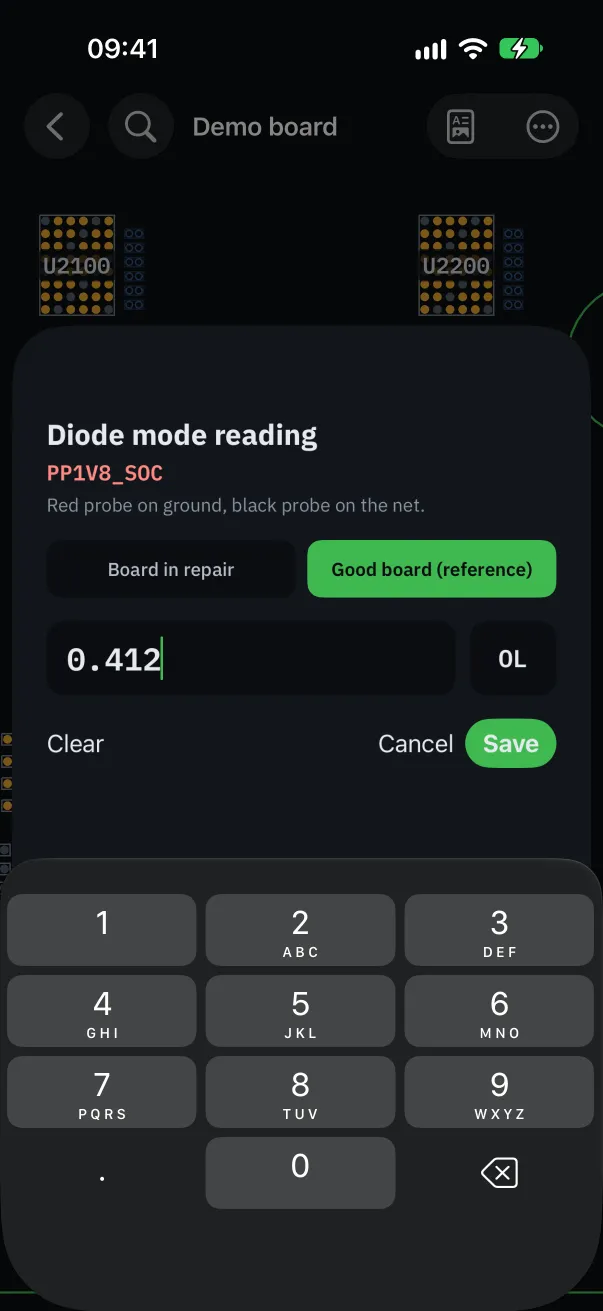
The reference: a good board
The reference applies to every board with the same number (820-02935, for example): measure a good board once, and every board of that model that lands on your bench is compared with it.
No good board at hand? Import readings shared by a colleague (“Import readings”).
Reading the verdict
“Matches”: the reading is within 20 mV or 8 % of the reference.
“Slight difference”: up to 20 % off. Keep an eye on it, especially on a power rail.
“Large difference”: more than 20 % off, or a value where the reference shows OL.
“Likely short”: under 0.05 V while the reference is above 0.1 V. Follow the net to find the culprit.
“Open line?”: OL while the good board gives a value. A broken trace, a missing component or a lifted pin.
These thresholds are a diagnostic aid: they don't replace your own reading of the values, especially on nets whose value depends on the board's state.
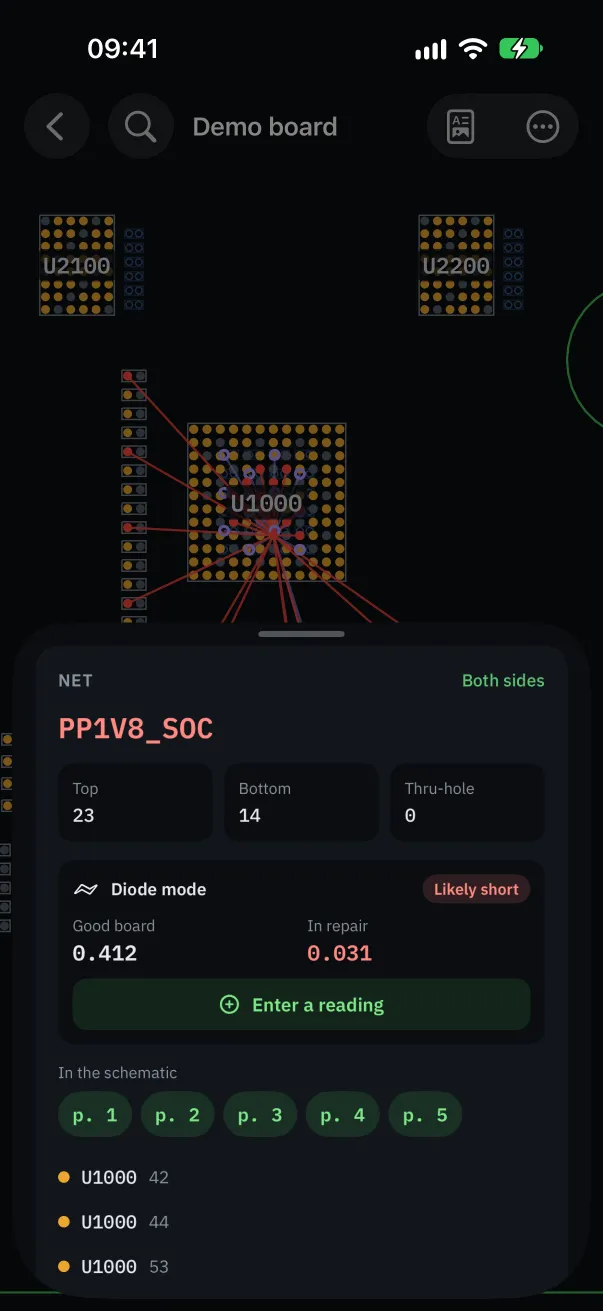
Export and share
“Export readings” produces a CSV file, readable in a spreadsheet, to keep in the repair file or to share.
In the filters, “Measured nets only” shows only the nets already measured: you see where you are.
Readings are a Pro feature, unlocked during the trial and on the demo board.